Almost every article that compares Shopify themes is written the same way. Someone reads the description on the Theme Store page, rewrites the feature bullets in their own words, and publishes it. Nobody installs the theme. Nobody counts anything.
So we did the boring part. We pulled the full source code of both of Shopify’s free first-party themes, Dawn and Horizon, read every section file, and counted the sections, the settings inside them, and the blocks you can drop into them. Then we opened both live demo stores and photographed the real sections. This is what the two themes actually give a store owner, measured instead of described.
Full methodology: what we read and how we counted
We cloned both public repositories on July 15, 2026 with git clone --depth 1 from github.com/Shopify/dawn and github.com/Shopify/horizon, taking the latest commit on the default branch of each.
For every file in each theme’s sections/ folder, and for Horizon also every file in its blocks/ folder, we extracted the JSON {% schema %} block. A “setting” is any entry in a schema that has an id, which is the thing a merchant can actually change in the theme editor. We did not count headers and paragraph labels, which have no id and only add spacing text in the editor. Section and block display names come from each theme’s locales/en.default.schema.json file, which is where Shopify stores the human-readable names that the t: keys point to.
The “unique vs shared” counts compare the human-readable section names of the two themes. This is a label-level comparison, so a section that does a similar job under a different name counts as unique. We flag the notable cases in the text.
The storefront photos were captured from the official demo stores at theme-dawn-demo.myshopify.com and theme-horizon-demo.myshopify.com in July 2026, at 1400px wide.
App prices are the plan prices shown on each app’s Shopify App Store listing on July 15, 2026, read directly from the listing page. Prices change often, so treat them as a July 2026 snapshot. We only put a number in the savings table when we could confirm it on the live listing.
The headline count
Here is the whole comparison in four numbers per theme.
| What we counted | Dawn | Horizon |
|---|---|---|
| Section files in source | 53 | 40 |
| Merchant-editable sections | 45 | 39 |
| Section-level settings | 324 | 409 |
| Reusable block files | 0 | 95 |
| Settings inside blocks | 151 | 1,067 |
| Total configurable settings | 475 | about 1,476 |
The first surprise is that Dawn has more section files, but Horizon exposes three times as many settings. That gap is the whole story of how these two themes are built, and it comes down to one word: blocks.
Dawn’s blocks live inside their parent section. The blocks in Dawn’s Featured product section only exist inside Featured product. You cannot take them anywhere else. Dawn has 55 of these inline block definitions holding 151 settings.
Horizon flips that model. It has 95 block files that live on their own and can be dropped into many different sections. A Text block, an Image block, a Button block, an Accordion block, a Comparison slider block: you build a section by stacking these, and the same block works in the hero, in a product page, or in the footer. That is why Horizon needs fewer section files but carries far more settings. The building blocks are shared.
Every notable section, side by side
The table below lists the sections with the most settings in each theme. Click any column header to sort. The point is not that one number is better than another. It is to see what each theme spends its complexity on.
| Section | Theme | Settings | Block types | What a store owner builds with it |
|---|---|---|---|---|
| Header | Horizon | 42 | 0 | Navigation, search, cart and account controls |
| Hero | Horizon | 36 | 8 | Full-bleed opening scene with two media layers |
| Featured collection | Dawn | 23 | 0 | A curated product row on the homepage |
| Collection list | Horizon | 17 | 10 | Grid of collections with per-card blocks |
| Recommended products | Horizon | 16 | 10 | Automatic related-product row on product pages |
| Product grid (main) | Dawn | 15 | 0 | The collection page product grid and filters |
| Product hotspots | Horizon | 15 | 1 | Shoppable lifestyle image with clickable dots |
| Slideshow | Horizon | 15 | 1 | Rotating full-width banner slides |
| Multicolumn | Dawn | 14 | 1 | Row of icons with text, for shipping or trust badges |
| Collapsible content | Dawn | 13 | 1 | FAQ accordion with expandable rows |
| Image with text | Dawn | 13 | 4 | An image beside a headline and copy |
| Multirow | Dawn | 13 | 1 | Stacked alternating image-and-text rows |
| Image banner | Dawn | 12 | 3 | Homepage hero banner with overlaid text |
| Media with text | Horizon | 8 | 0 | Story panel pairing media with copy |
| Collage | Dawn | 8 | 4 | Mixed grid of image, product and video tiles |
| Rich text | Dawn | 6 | 4 | A centered block of formatted text |
| Marquee | Horizon | 5 | 4 | Scrolling text ribbon for offers or announcements |
What only one theme can do
By section name, the two themes share about 15 section types, including Header, Footer, Slideshow, Featured collection, Featured product, Blog posts, Custom Liquid, Announcement bar and the account and cart pages. Those are table stakes. The interesting part is where they diverge.
Horizon ships several sections and blocks Dawn simply does not have:
- Product hotspots. A lifestyle photo with clickable dots that open product cards. This is the “shop the look” pattern, and on Dawn you buy an app for it.
- Comparison slider. A before-and-after image with a draggable handle, built as a block with 30 settings. Skincare, cleaning and renovation stores pay for apps that do only this.
- Marquee. A scrolling ribbon of text for running offers.
- Layered slideshow and Media with text, two editorial layouts for brand storytelling.
- The generic Section container, which lets you build an arbitrary layout by stacking any blocks you want. This is the closest a free theme has come to a built-in page builder.
Dawn keeps a few sections Horizon dropped as standalone pieces, mostly because Horizon rebuilt them as blocks instead:
- Collage, a mixed grid of image, product and video tiles.
- Multirow, stacked alternating image-and-text rows.
- Multicolumn, the icon-and-text row most stores use for shipping and returns promises.
- Collapsible content, a dedicated FAQ accordion section. Horizon has the accordion too, but as a block you place, not a section.
The pattern is consistent. Horizon did not remove capability, it moved it into the block system so you assemble it yourself. Dawn hands you finished sections. Which you prefer depends on whether you want to build or to fill in blanks.
Four sections, opened up
Counting settings is one thing. Here is what a few of these sections actually do, from the point of view of the person running the store.
Dawn, Featured collection (23 settings)
This is the most heavily configured section in all of Dawn, and it is the one most homepages are built around. Its 23 settings include which collection to show, how many products, desktop and mobile column counts, a desktop slider toggle, image ratio and image shape, whether to show a second image on hover, the vendor, a star rating, and a quick-add button style.
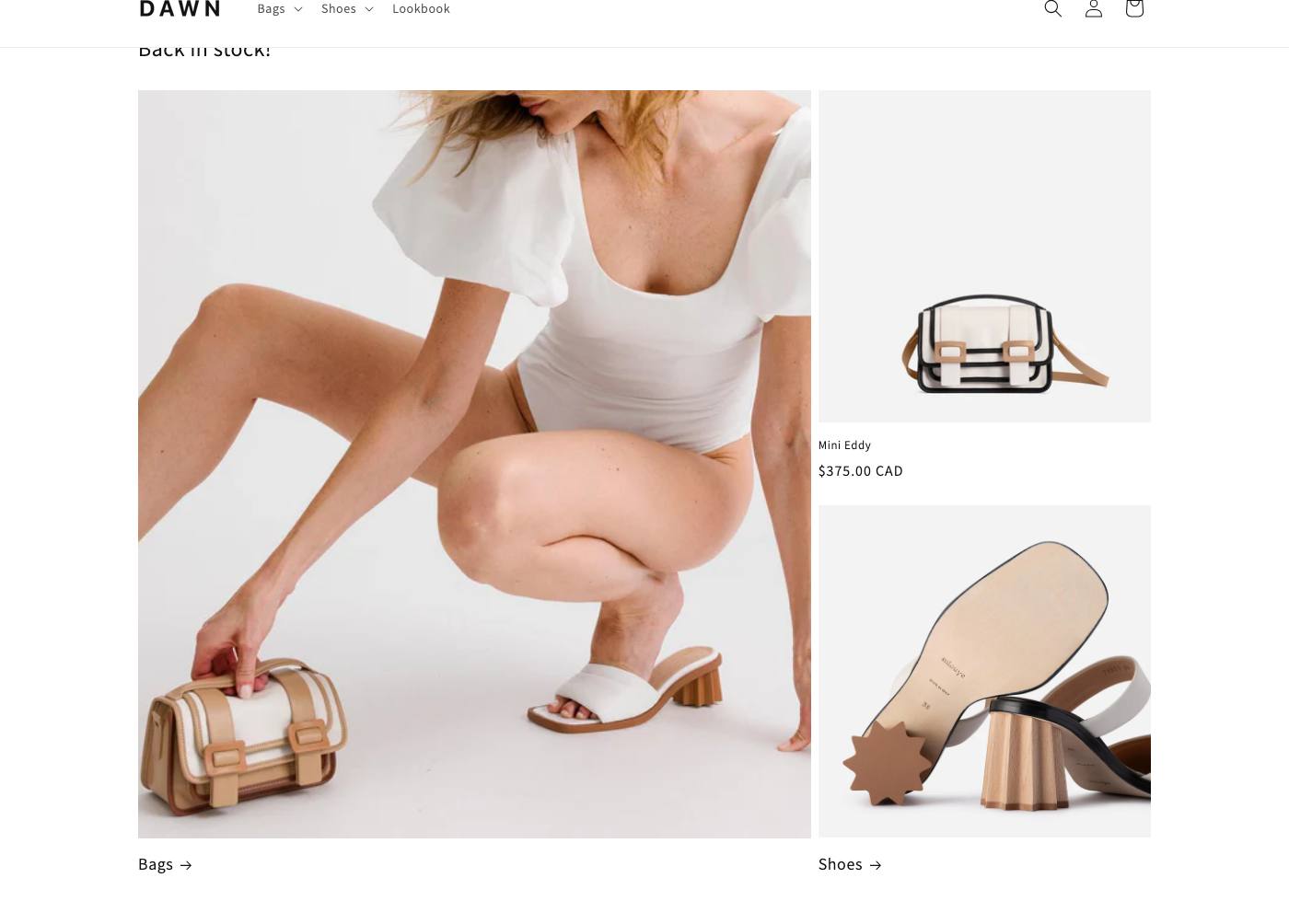
The marketing job it closes is merchandising. You point it at a “New arrivals” or “Best sellers” collection and control exactly how much detail the shopper sees before clicking. The quick-add setting alone changes the funnel, because it lets a shopper add to cart straight from the row without loading the product page. That is the same job a lot of stores install a separate quick-add app to get.
Dawn, Collapsible content (13 settings)
This is Dawn’s FAQ section. It uses one repeatable block, the collapsible row, so you add as many question-and-answer rows as you need. Settings cover the heading, the heading size and alignment, two layout options, container color scheme, whether the first row opens by default, and an optional image beside the accordion.
The reason this matters for money is further down, in the app section. A built-in FAQ accordion is one of the most common reasons a store owner installs their first paid app.
Horizon, Hero (36 settings, 8 block types)
Horizon’s Hero is the theme’s showpiece and its second most configured section. It holds two independent media layers, each of which can be an image or a video, with separate mobile versions if you want them. On top of that it accepts eight kinds of block, including text, button, logo, a large “jumbo text” headline, a group container and even a marquee, and it exposes overlay controls, a blurred reflection effect, alignment for both axes, and section height.

The job it closes is the opening statement of the whole store. Because the content is blocks, not fixed fields, two Horizon stores can look nothing alike using the same section. That flexibility is the reason Horizon feels closer to a design tool than a theme.
Horizon, Product hotspots (15 settings)
This is the section Dawn has no answer for. You upload one lifestyle image, then place hotspot dots on it, and each dot opens a product. Settings control the hotspot color, the bullseye animation color, the overlay, the section width and height, and how the product title and price appear.
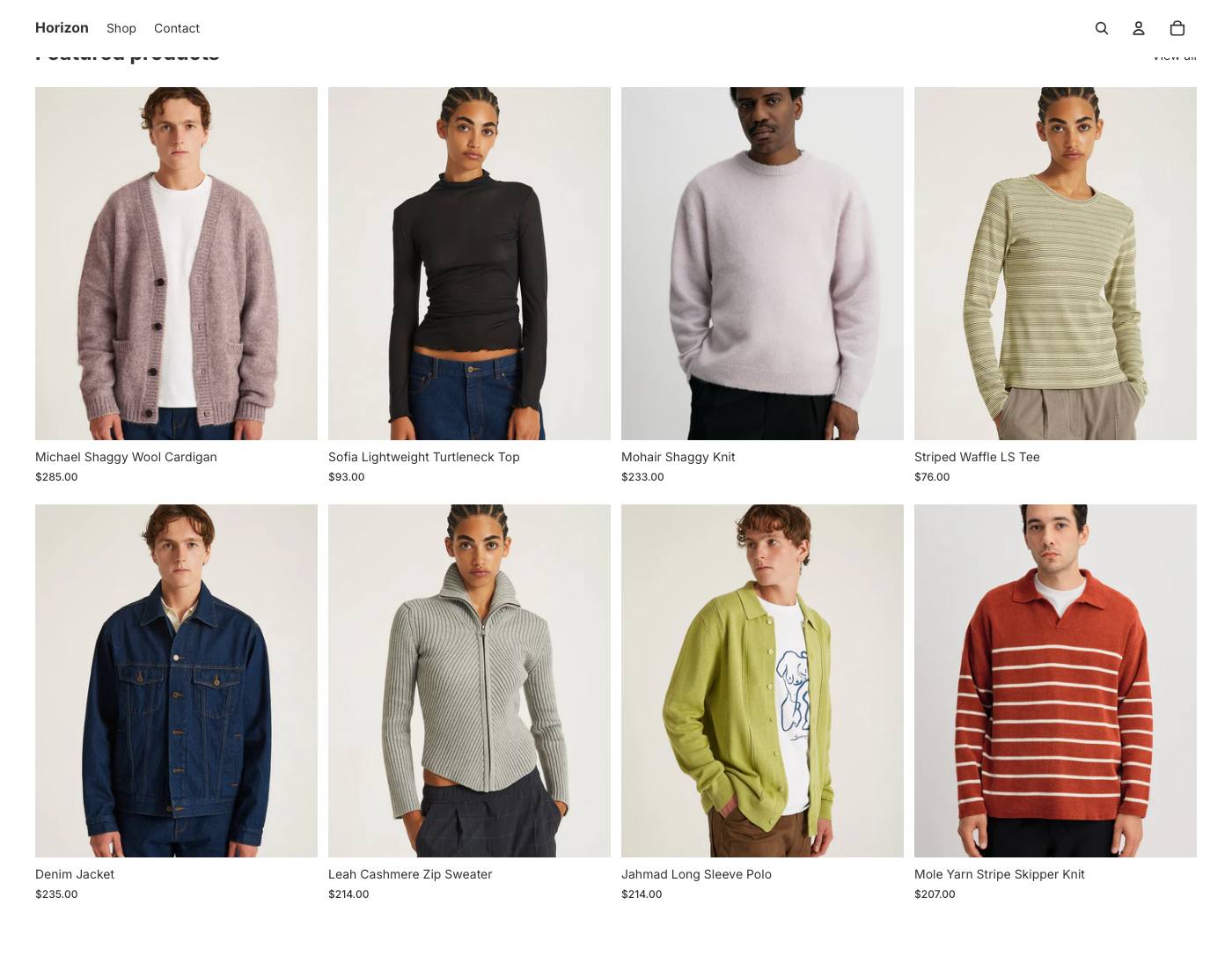
The marketing job is “shop the look.” A fashion or home store shoots one styled photo and lets shoppers buy every item in it without hunting through the catalog. On most themes this is a paid app category on its own.
The part nobody adds up: what the built-in features replace
Here is the angle the description-copying articles never reach. Many of these sections do the job of an app that stores pay for every month. When a theme ships the feature, that subscription goes away.
We went through the App Store and pulled the current plan prices for the apps whose core job a built-in section or block already does. We only kept apps where we could confirm the price on the live listing on July 15, 2026. We used the entry plan price, which is the friendly number, so this is a conservative floor.
| Built-in feature | Theme | App it covers the core job of | Confirmed app price | Per year |
|---|---|---|---|---|
| Section and block layout system | both | PageFly page builder | $24 / month | $288 |
| Email capture form (Email signup) | both | Privy email and pop ups | $24 / month | $288 |
| Quick order and bulk order form | both | Wholesale All in One | $24 / month | $288 |
| FAQ accordion and product tabs | both | Smart Tabs | $5 / month | $60 |
| Scrolling marquee and announcement bar | both | Scrolling Text | $5 / month | $60 |
| Confirmed entry-tier total | $984 / year |
That $984 a year is the floor, on the cheapest plan of each app. Most growing stores are not on the cheapest plan. PageFly’s next tier is $99 a month, Privy’s is $30 to $45, Wholesale All in One’s is $39. Move to the plans real stores actually pay for and the same built-in features are covering closer to $2,000 a year.
Two honest caveats keep this from being a sales pitch.
First, “covers the core job” is not “identical.” Privy also runs pop ups and automated flows the theme’s inline signup form does not. Wholesale apps add customer-group pricing the quick order form does not. The theme feature covers the common case, not every edge.
Second, one big category is not covered at all. Neither theme ships product reviews with verified buyers. That still needs an app, and Loox runs $49.99 a month on the plan its listing highlights, about $600 a year. If your teardown of a theme claims it replaces every app, it is selling you something. This one does not.
Where does this leave the paid themes in the store? The better ones lean into exactly this math. A premium theme like Ultra in the official Theme Store advertises built-in features, from sticky add-to-cart to product bundles to size charts, that go past what Dawn and Horizon ship, which pushes the app bill down further. We have not read Ultra’s source the way we read these two, so we are only going by what its listing and demo show, but the direction is clear: the more a theme does on its own, the fewer monthly apps you rent.
The verdict, for a store owner
If you want the simplest, lightest free theme and you are happy filling in ready-made sections, Dawn is still the sensible default. Its 45 sections cover a normal store, and it does not tempt you into over-building.
If you want to design rather than fill in blanks, Horizon is a genuinely different product. Its block system gives you roughly three times the settings and section types Dawn cannot match, and several of them, hotspots, the comparison slider, the generic Section container, are things merchants routinely pay apps for.
Either way, the lesson from reading the source is the same one the App Store bill teaches. Before you install a paid app, open the theme editor and check whether the section is already there. On these two themes, about a thousand dollars a year of it already is.